How to Track Field Employees Without Micromanaging
Track field employees by recording the work, not by watching the person. Agree what is captured (attendance with location, customer visits, proof of work and expenses), explain it to the team in a written policy, use it for working hours and work purposes only, and review the data in a weekly routine instead of calling people through the day.
Why phone check-ins do not work
Most businesses with field teams start by calling salespeople or service staff during the day and asking for a WhatsApp update in the evening. It feels like control, but it takes up the manager's day, interrupts the employee's work and produces reports that cannot be checked. Good field employees resent it, and weak ones learn what to say.
Decide what you actually need to know
Before choosing any tool, write down the questions you want answered each day. For most field teams they are:
- Did the employee start work, and where?
- Which customers, outlets or sites were visited?
- What happened at each visit: an order, a service job, a survey, a complaint?
- Is there proof that the work was done, such as a photo or a signed document?
- What expenses were incurred, and do they match the visits?
Record the work as it happens
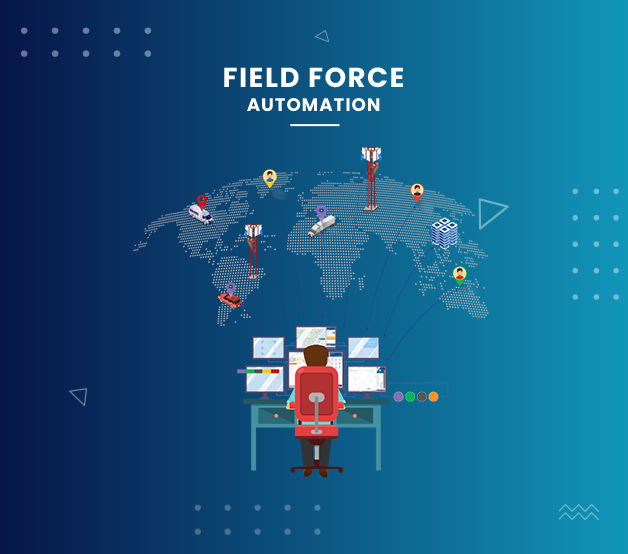
The most reliable record is the one created at the time of the work. With field tracking or field force automation software, the employee marks attendance with GPS location at the start of the day, records each visit with notes, uploads geo-tagged photos or documents as proof, and submits expenses from the phone.
The manager then reviews attendance, visits and expenses for the whole team in one place, instead of collecting them by phone.
Set rules your team will accept
Tracking that employees understand gives better data than tracking they work around. A short written policy should cover:
- What the app records, and why each item is needed.
- When it records: during working hours and work activities, not personal time.
- Who can see the data, and how long it is kept.
- How the data is used: attendance, visit verification, expense approval and coaching, not as the only measure of performance.
- How employees can raise a concern or correct a wrong entry.
Check your legal obligations
Location and attendance records are personal data. Businesses in India should review their obligations under the Digital Personal Data Protection Act, 2023, including giving employees clear notice of what is collected and why, and keeping the data secure. This guide is not legal advice; take advice on your own policy.
Review in a routine, not all day
The value of field data comes from regular review, not constant watching. A simple routine works for most teams:
- Daily: check attendance exceptions and visits that were planned but not made.
- Weekly: review visit counts, outcomes and expenses with each team member.
- Monthly: compare territories and use the patterns to coach, plan routes and set targets.
Choosing field tracking software
Ask vendors to show how the app records attendance, visits, proof of work and expenses on a real phone, what managers see, whether data can flow into your ERP or CRM, and how employees are trained. Perfect ERP Software's field force automation software records GPS-based attendance, customer visits, expense reports and geo-tagged proof of work, and is part of Perfect ERP, so field data can sit alongside sales and operations.
Frequently asked questions
Is it legal to track field employees in India?
Businesses commonly record field employees' attendance location and work visits. Because this is personal data, review your obligations under the Digital Personal Data Protection Act, 2023, give employees clear notice and take legal advice on your policy.
Should we track location all day?
Record what you need for work purposes, such as attendance and visits, during working hours. Recording more than you need adds risk without adding much value.
How do we stop fake visit reports?
Ask for proof created at the time of the visit, such as a geo-tagged photo or document, and review exceptions regularly.
Related software and solutions
Field Force Automation Software
Perfect ERP Software's field tracking and field force automation (FFA) software gives managers a reliable record of what their field staff do each day.
Learn more
Sales Force Automation Software
Perfect ERP Software's sales force automation (SFA) software helps salespeople manage the selling process from their phones.
Learn more
Sales Management Software
Perfect ERP Software's sales management software gives owners and sales managers one view of how their team is performing.
Learn moreMore buying and implementation advice: all guides.
Talk to us about your requirements
Book a free, no-obligation demo. Our team will show the software using your workflow and prepare a quote based on the modules and users you need.
or call +91-9999365655